1
2
3
4
5
6
7
8
9
10
11
12
13
14
15
16
17
18
19
20
21
22
23
24
25
26
27
28
29
30
31
32
33
34
35
36
37
38
39
40
| <!DOCTYPE html>
<html>
<head>
<title>绘制基本图形(文本垂直对齐)</title>
<meta charset="UTF-8">
<meta name="viewport" content="width=device-width, initial-scale=1">
<meta name="description" content="图形系统开发实战:基础篇 示例">
<meta name="author" content="hjq">
<meta name="keywords" content="canvas,anygraph,javascript,图形">
</head>
<body style="overflow: hidden; margin:10px;">
<canvas id="canvas" width="840" height="280" style="border:solid 1px #CCCCCC; box-shadow: 4px 4px 8px rgba(0, 0, 0, 0.5);" />
</body>
<script>
let canvas = document.getElementById('canvas');
let ctx = canvas.getContext('2d');
ctx.font = "bold 30px Inconsolata";
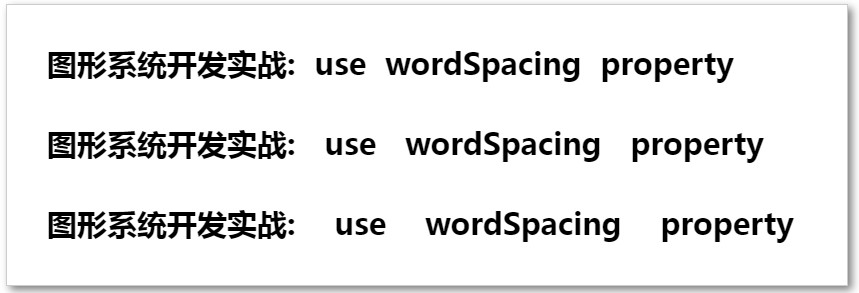
ctx.wordSpacing = "10px";
ctx.fillText("图形系统开发实战: use wordSpacing property", 40, 70);
ctx.wordSpacing = "20px";
ctx.fillText("图形系统开发实战: use wordSpacing property", 40, 150);
ctx.wordSpacing = "30px";
ctx.fillText("图形系统开发实战: use wordSpacing property", 40, 230);
</script>
</html>
|